How Long Do Amazon Prime Downloads Last? The 2025 Guide to Expiration Rules

Imagine this: You are halfway through a long-haul flight. You open your tablet, eager to finish the movie you started in the departure lounge. Suddenly, the screen goes black, replaced by a “Video Unavailable” error. The download has expired.
You prepped your device perfectly—or so you thought—only to be locked out of your content because of the strict Prime Video offline policy. Facing a locked device when you need entertainment most is frustrating, effectively turning a high-tech tablet into a useless sheet of glass. This guide is the result of hands-on testing to verify exactly how long Amazon Prime downloads last, explaining the hidden timers that dictate your viewing experience and providing solutions to ensure your downloads never disappear unexpectedly again, helping you watch Amazon Prime offline whenever you want.
How Long Do Amazon Prime Download Last
The Short Answer: 30 Days to Start, 48 Hours to Finish
If you are strictly using the official Amazon Prime Video app, you must navigate two critical, yet often confusing, timers. Understanding these rules is the first step to avoiding the “expired content” trap.
- The 30-Day Storage Rule: Once you download a title to your device, it has a “shelf life.” You generally have 30 days to begin watching it. If you do not press play, the file remains secure on your device for this duration.
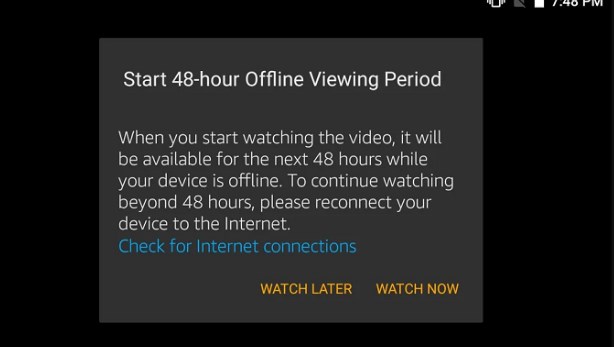
- The 48-Hour Viewing Rule: This is where most confusion occurs. The moment you press “Play”—even for a single second to check video quality—the 30-day window vanishes. A new, aggressive timer begins. You now have 48 hours to finish watching the content before it expires.
48-Hour Viewing Window
Expert Insight: It is important to note that Prime Video expiration times are controlled primarily by content licensing agreements. While 30 days and 48 hours are the defaults for Amazon Originals, third-party studios often mandate stricter rules. For example, a newly released blockbuster rental might expire from your device in as little as 24 hours without you even playing it. Always check the specific detail page for each title.
Deep Dive: How Expiration Works Across Multiple Devices
One of the most common questions travelers have is how these timers interact when you use multiple devices. If you download the same movie on your iPad and your iPhone, are the timers linked?
The “Sync” Trap:
The 48-hour viewing timer is tied to your Amazon account, not just the specific file.
- Scenario: You start watching a movie on your iPhone while waiting for your Uber. You watch for 5 minutes.
- Result: Amazon’s servers record that you have “started” this title. If your iPad is connected to the internet, it will sync with your account, and the 48-hour timer will begin ticking on your iPad’s download as well.
The Offline Exception:
However, these timers rely on an internet connection to sync. If you put your iPad in Airplane Mode before you start watching on your iPhone, the iPad has no way of knowing the timer has started. This allows you to potentially preserve the 30-day window on the second device, provided it never connects to Wi-Fi to receive the “timer started” signal.
Why Downloads Disappear: Region Locks and Travel Risks
Beyond standard timers, many users face the baffling issue of downloaded titles disappearing unexpectedly while traveling internationally. This is almost always caused by Geo-blocking.
The Region Lock Mechanism
Amazon Prime Video libraries vary by country due to distribution rights. When your device connects to the internet in a new country, the app updates its catalog to match your current location. If a title you downloaded in the US is not licensed in France, the app may disable or delete the download immediately upon detecting your new IP address.
To avoid this, keep your device in Airplane Mode or disable Wi-Fi entirely once you have your downloads. Even if you have time left on your 48-hour clock, crossing a digital border and connecting to a local network can invalidate the license instantly.
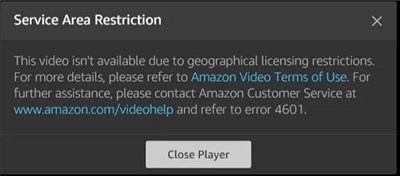
Amazon Prime Area Limit
How to Check Status and Renew Downloads
Managing your offline library requires vigilance. To prevent surprise expirations, you should regularly check the status of your downloads.
How to Check Remaining Time
1. Navigate to Downloads: Open the Prime Video app and tap on the “Downloads” tab.
2. Locate the Badge: Look for an exclamation mark icon or text indicating “Expiring Soon” next to the title.
3. View Details: Tap the specific episode or movie. The detail page will display exactly how many hours or days remain before the Amazon Prime download time limit is reached.
The Renewal Process (And Data Usage)
If a download has expired, you cannot extend it offline. You must perform a renewal. A major concern for travelers is data usage: Does renewing a movie re-download the whole file?
- The Good News: No. Renewing a download typically only requires a tiny “handshake” with the server to refresh the license key. This consumes mere kilobytes of data, not gigabytes.
- The Bad News: You still need an active internet connection to do it.
Steps to Renew:
1. Connect to Wi-Fi/Data: Ensure you have at least a weak signal.
2. Tap the Expired Title: Tap the exclamation icon on the video.
3. Select “Renew”: Confirm the action. The app will verify your subscription and refresh the timer in seconds.
Critical Troubleshooting Tip: Many users find themselves unable to restart expired downloads offline. Always renew your downloads before leaving your hotel Wi-Fi. Once you are on the plane, the app cannot communicate with Amazon’s servers, leaving the content locked.
The Permanent Fix: Building a Library with Keeprix Video Downloader
For frequent flyers or “Power Users” who find the 48-hour timer and region locks too restrictive, the standard app often falls short. If you need guaranteed access to your media without the anxiety of disappearing files, you might consider a dedicated media tool like the Keeprix Prime Video Downloader.
This is a professional third-party software (available for PC/Mac) that converts encrypted streams into standard video files. Unlike the temporary cache files used by the Prime app, Keeprix Video Downloader saves Prime videos as MP4 or MKV files.
How Keeprix Video Downloader Changes the Rules
- Zero Expiration Risk: Because the output is a standard video file, there are no hidden timers. The 30-day and 48-hour rules do not apply.
- Regional Freedom: Once the file is on your laptop or moved to a tablet, it works globally. You never have to worry about a French IP address deleting your US movies.
- True Ownership: You can transfer the files to any device (iPad, Android, USB stick) without worrying about the “4 devices only” limit.
How to Download Subbed Amazon Prime Videos with Keeprix Video Downloader:
Step 1. Open Keeprix Video Downloader, paste the Amazon Prime video URL into the address bar, and choose Amazon Prime as the platform.
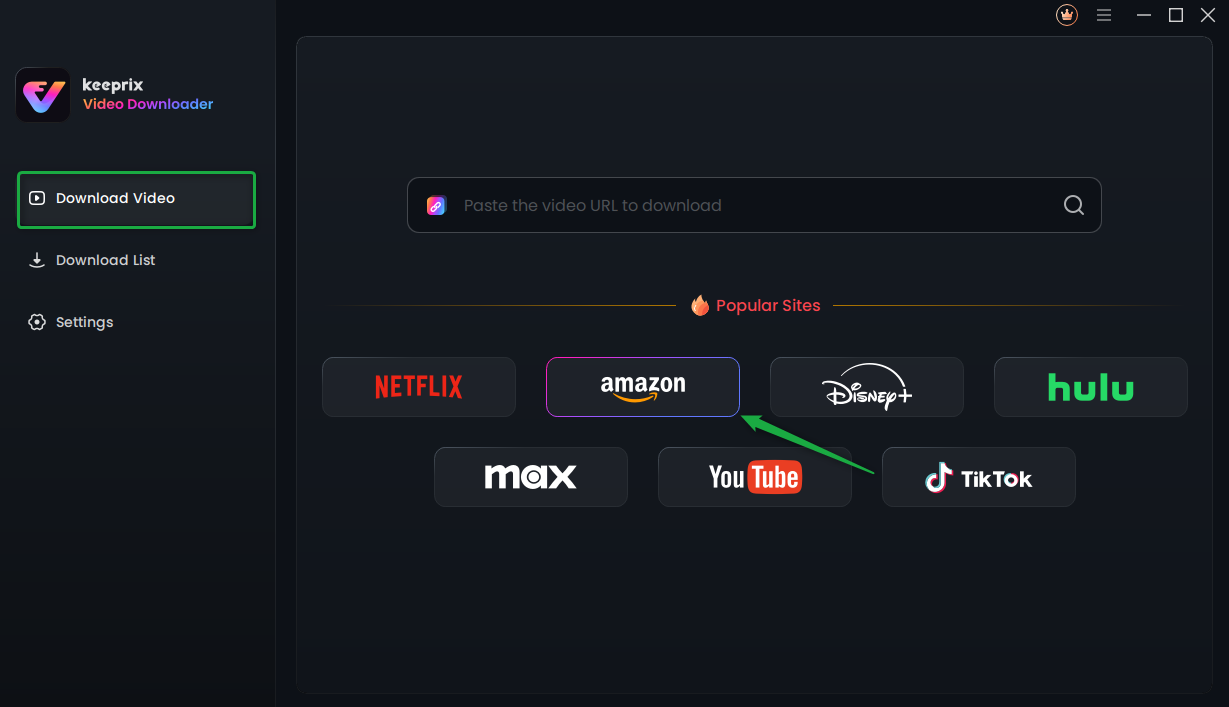
Choose Amazon Prime Platform
Step 2. Sign in to your Prime Video account through the tool’s built-in browser.
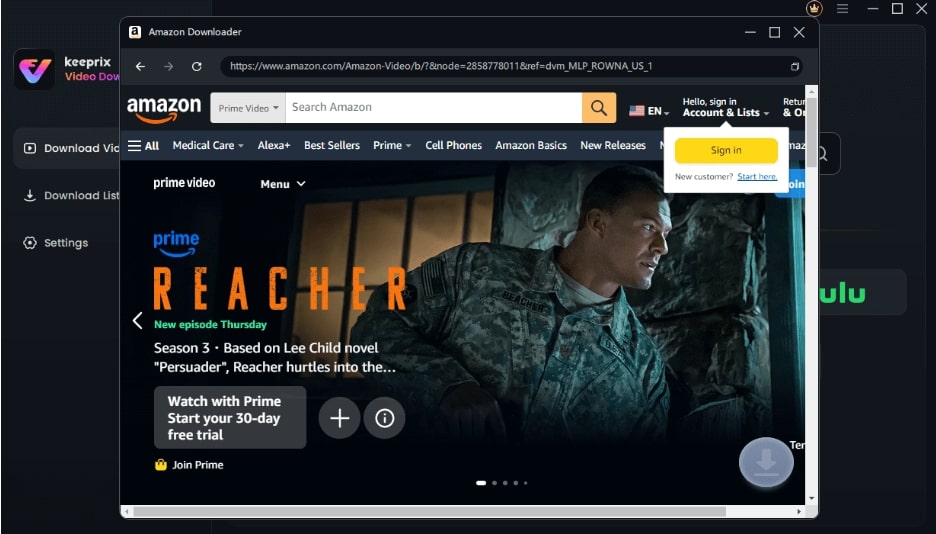
Sign Into Prime Account
Step 3. Find the video you want, start playing it, and click the Download icon. Waiting for the download process to be completed.
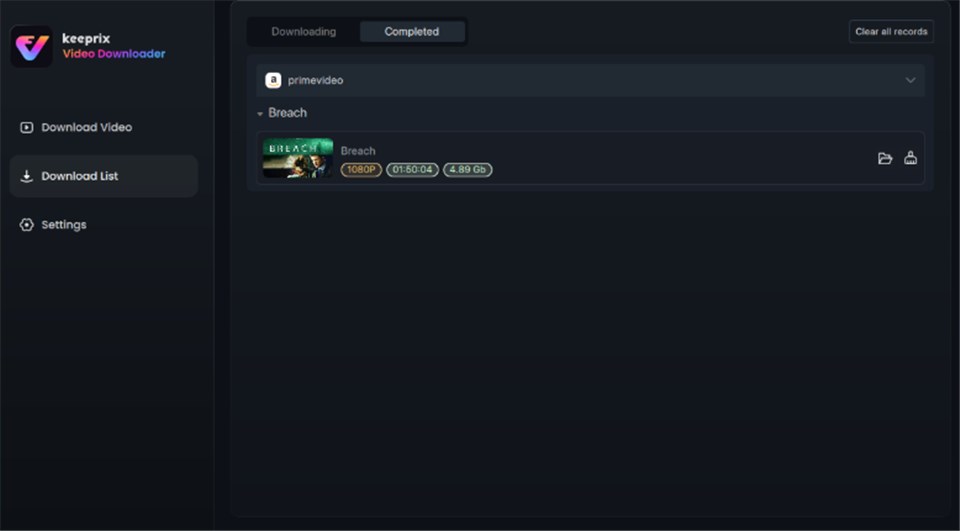
Prime Video Successfully Downloaded
Is it Legal and How Much Does it Cost?
It is important to understand that Keeprix Video Downloader is a paid software solution, typically offering a trial version with a license fee for full features. Regarding legality, this tool falls into the category of “Format Shifting” or personal DVR. While using it for personal backups allows you to watch content you have legally paid for, it does bypass the streaming platform’s Terms of Service. It should be used strictly for personal, non-commercial viewing.
Comparison: Official App vs. Keeprix Video Downloader Tool
| Feature | Standard Prime App | Keeprix Video Downloader |
| Expiration Risk | High. Subject to 30-day/48-hour timers. | Zero. Files never expire. |
| Device Limits | Limited to 4 devices per account. | Unlimited. Move files to any device/USB. |
| Regional Lock | Content may vanish if you change countries. | None. Works globally without internet. |
| Video Quality | Variable/Dependent on connection. | 1080p Full HD & 5.1 Surround Sound. |
| Renewal Needed? | Yes, requires internet to renew. | No, never requires renewal. |
Frequently Asked Questions About Prime Video Download
Q1. How long do Amazon Prime downloads last before they expire?
Generally, you have 30 days to start watching a downloaded title. Once you press play, you have 48 hours to finish watching it. However, third-party content may have shorter windows defined by the studio.
Q2. Why do my Prime Video downloads expire after 48 hours?
This limit is part of the Prime Video offline policy designed to mimic a digital rental period. It ensures active subscribers engage with the platform regularly and prevents users from hoarding content offline indefinitely.
Q3. Does renewing a download use a lot of data?
No. Renewing a download only refreshes the digital license, which takes a few seconds and uses negligible data. You do not need to re-download the video file itself.
Q4. Can I watch my downloads on a different device?
If you use the official app, you must download the file to the specific device you want to watch on. If you use a tool like Keeprix Video Downloader, you can transfer the MP4 file to any device you own.
Q5. Can I re-download an expired title without internet?
No. Renewal requires an active internet connection to verify your Prime membership and the content’s current licensing status. You cannot unlock an expired file while offline.
Conclusion: Regain Control of Your Offline Library
Navigating the nuances of how long do Amazon Prime downloads last can feel like a gamble, especially when a 48-hour timer starts ticking down the moment you check the video quality. While the official app offers basic offline capabilities, the hidden expiration dates, region locks, and the inability to restart expired downloads offline remain significant hurdles for serious travelers.
To avoid the “black screen” frustration, always double-check your expiration timers before leaving home and keep your device in Airplane Mode to prevent region-lock deletions. For those who require a fail-safe archive of their favorite movies without the hassle of constantly renewing downloads, tools like Keeprix Video Downloader offer a robust, albeit paid, alternative to the standard app limitations.