Is Beachbody Free with Amazon Prime? 2025 Cost & Access Guide

There are few things more frustrating than gearing up for a workout, rolling out your mat, and navigating to a familiar app icon, only to be stopped cold by a login screen demanding a credit card. For fitness enthusiasts like “Laura”—a budget-conscious shopper setting up a home gym—this scenario is all too common. You see the Beachbody (now BODi) app on your device, you have an Amazon Prime membership, and you reasonably assume the two might be connected.
Is Beachbody Free with Amazon Prime
If you are asking, “is Beachbody free with Amazon Prime,” here is the direct answer: No, Beachbody is not included with Amazon Prime. While Prime Video offers a vast library of entertainment, it does not include a BODi subscription as part of its base benefits.
This guide clarifies exactly why this confusion exists, breaks down the costs, and provides verified fitness programs on Prime Video that are actually free, so you can start your workout without an unexpected bill.
You may also like: Is Philo Free with Amazon Prime >
The Reality: Is BODi Free with Amazon Prime or a Separate Cost?
To understand why searching for is Beachbody included with Prime Video yields conflicting results, you first need to understand the platform’s recent structural changes. Beachbody has rebranded to BODi, functioning as a completely standalone subscription service. This is distinct from Prime Video Channels, which are add-ons billed directly through your Amazon account.
Why The App Exists on Fire TV
A major source of confusion stems from hardware availability. You can easily find and install the BODi app on an Amazon Fire TV Stick. However, capability does not equal accessibility. Installing the app is free; watching the content is not. The app serves merely as a player for the subscription you must purchase separately.
The “App Store” vs. “Channel” Confusion
Many users see the app in the store and mistake installability for free accessibility. They find the “BODi” icon on their Fire Stick dashboard and assume their Prime login will work. Instead, they encounter a login screen demanding separate credentials.
Amazon Prime mixes free fitness content with paid channel add-ons, making it difficult to distinguish between what you own and what requires an extra monthly fee.
Here is how to spot the difference visually:
- Prime Video Channels: When you browse channels inside the Prime Video interface, the icons usually feature a small “Prime” badge or sash in the corner. This indicates billing is integrated or content is included.
- Standalone Apps (Like BODi): The BODi icon on your Fire TV home screen looks just like a standard smartphone app icon—it has no “Prime” badge. This visual cue confirms it is a totally separate ecosystem requiring its own login.
To view Beachbody on Demand content, you must sign up for a BODi membership directly through their site or via an in-app purchase. This is separate from your standard Prime Video billing cycle.
Cost Comparison: Beachbody Membership Price vs. Prime Fitness
For the value-conscious user, the decision often comes down to budget. Is the Beachbody membership price justified, or can you get a sufficient workout using Prime Video fitness channels included with your existing membership? A direct comparison reveals significant differences in cost and commitment.
Is the Upgrade Worth It?
- Cost: A BODi subscription typically costs significantly more annually than the $0 additional cost for Prime fitness content. While BODi offers premium, structured programs, Prime Video provides thousands of standalone videos at no extra charge.
- Variety: BODi specializes in structured programs (like P90X or 21 Day Fix). Prime Video offers a wider, albeit less structured, variety of genres, including yoga, HIIT, and Pilates from various independent creators and studios.
- Equipment: Many BODi programs require specific weights or bands. Prime Video offers ample “no-equipment” options suited for beginners setting up a living room gym.
- Commitment Level: BODi requires a monthly or annual contract. Prime fitness videos are on demand with zero cancellation fees or contracts beyond your Prime membership.
Before searching for Amazon Prime add-on costs, evaluate if the free tier meets your needs. If you require a highly structured 90-day calendar, BODi is the superior tool. If you simply need a daily sweat session to stay active, the free library on Prime is likely sufficient.
Best Free Fitness Alternatives on Amazon Prime Video
Since the answer to “Is Bodi free with Amazon Prime” is a resounding “no,” the next logical step is to explore what is free. Your Prime membership includes access to a robust library of fitness programs on Prime Video that can replace expensive subscriptions if you know where to look. You can access high-quality instruction in Yoga, HIIT, and Pilates without incurring a Beachbody Prime Video add-on fee.
Top Free Genres and Channels
Instead of facing a paywall, try searching for these specific categories within the Prime Video interface:
- Maggie Binkley: Her “15 Minute” series is a staple for users wanting quick, effective HIIT and strength workouts. The production value is simple, but the instructions are clear and perfect for busy schedules.
- Julia Bognar: Offers excellent Pilates and low-impact high-intensity training. Her workouts are comparable to paid app content, focusing on form and sustained movement.
- GymRa: A popular channel available on Prime that categorizes workouts by muscle group and difficulty. If you miss the structure of an app, GymRa is the closest free alternative on Prime, offering organized playlists for abs, legs, and full-body toning.
- Yoga with Adriene (and similar): While often found on YouTube, many full-length yoga series from top instructors are available ad-free on Prime Video, providing a distraction-free environment for mindfulness.
By using these Prime Video third-party channels, you can build a diverse weekly routine. These options provide the guidance a beginner needs without the monthly overhead of a BODi subscription.
For Travelers and Offline Zones: Downloading Prime Content
Most users will simply stream their workouts directly on their TV. However, if you are traveling, deploying to a location with spotty internet (like a garage gym), or want to back up your favorite routine before it leaves the platform, standard streaming might not work.
The Prime Video app has download limits and viewing windows (often 48 hours once viewing starts). For specific use cases—such as a long trip or a permanent offline backup—tools like the Keeprix Amazon Prime Video Downloader offer a solution.
When to Consider a Downloader
This is not necessary for the average living room user, but it solves specific problems for:
- Garage Gym Owners: If your Wi-Fi signal doesn’t reach your workout space, buffering can ruin your momentum.
- Travelers: If you are staying in a hotel with throttled internet, having your workout saved as a file guarantees smooth playback.
How to download Amazon Prime videos with Keeprix Video Downloader:
Step 1. Download and install Keeprix Video Downloader on your computer. Launch it and select the Amazon platform.
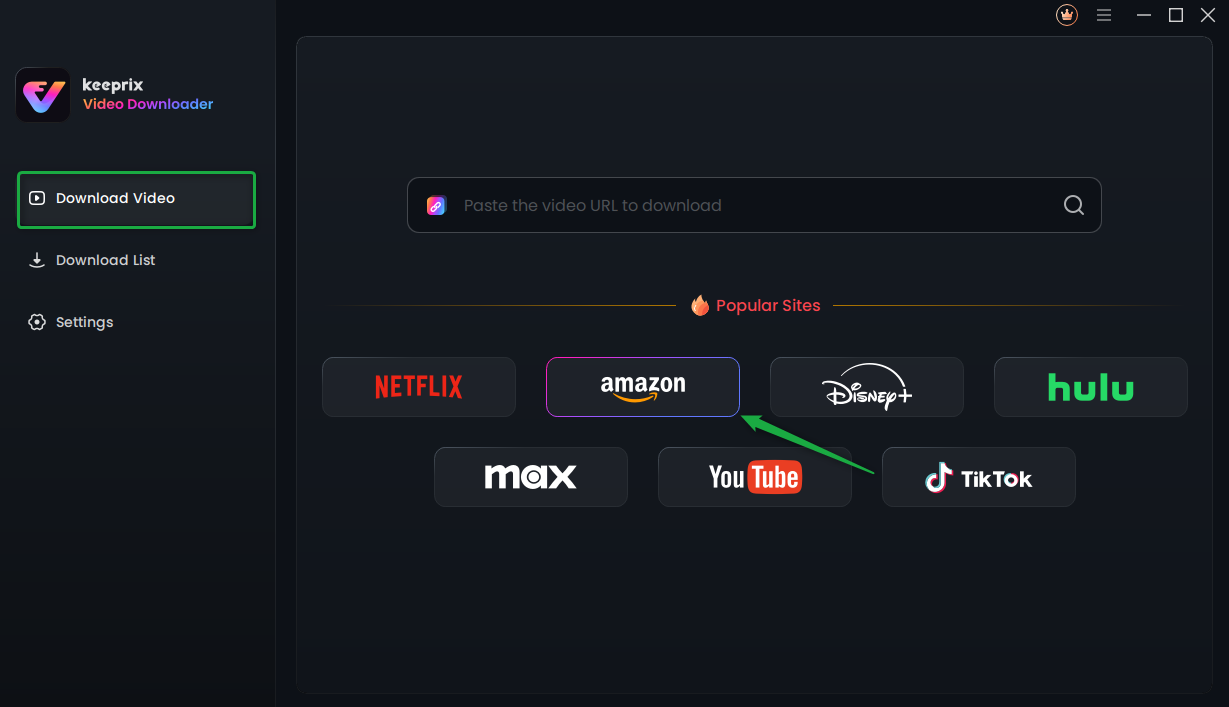
Choose Amazon Prime Platform
Step 2. Search for a video you want to download, and tap the download button.
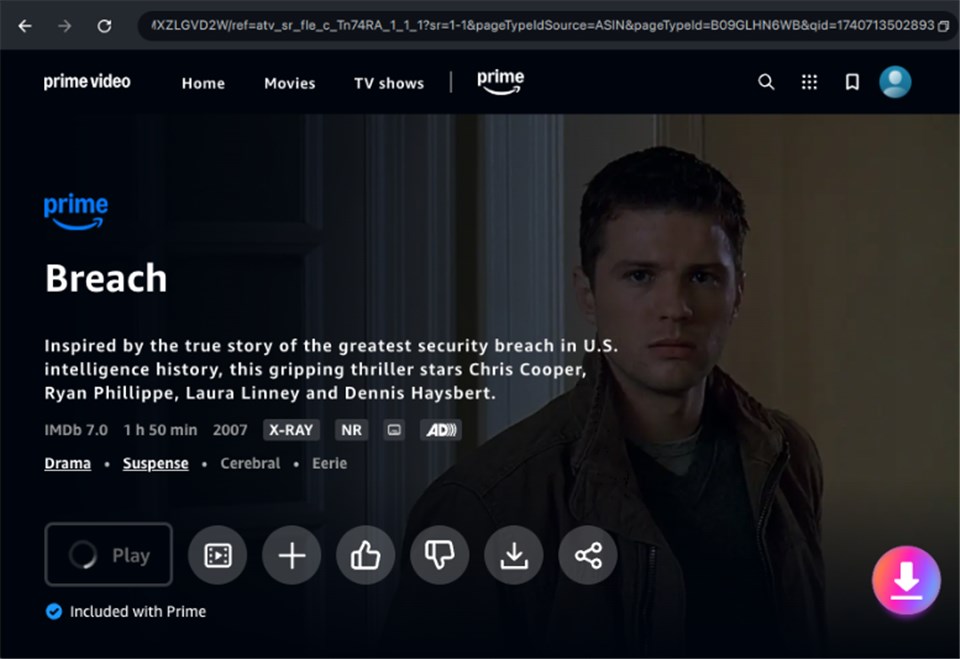
Download Amazon Videos
Step 3. After the download is completed, the video will be stored in the local file on your computer.
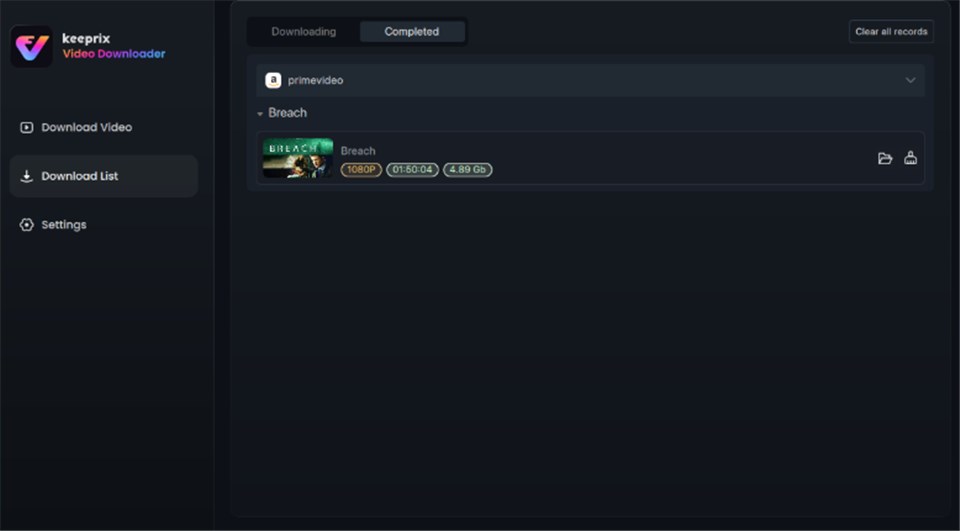
Prime Video Successfully Downloaded
How to Watch Downloaded Files on Your TV
Keeprix Video Downloader downloads videos as MP4 files to your PC or laptop. Since you cannot install this software directly on a Smart TV, you will need to bridge the gap. Here is how to view your downloaded workouts on the big screen:
- HDMI Connection (Easiest): Simply connect your laptop to your TV using a standard HDMI cable. Change the TV input, and your screen is mirrored instantly.
- USB Drive: Copy the MP4 file to a USB flash drive and plug it into the USB port on your Smart TV or Roku device. Most modern TVs have a built-in media player app that will recognize and play the file.
- Plex/Media Server: For tech-savvy users, you can host the files on your PC and stream them locally to the Plex app on your Fire Stick or Smart TV.
A Note on Account Safety
Is this safe for my account? Users often worry that downloading content might trigger a ban. Tools like Keeprix Video Downloader essentially function as a high-speed DVR for your computer, recording the stream in real-time for your personal library. As long as you use these files for personal viewing and do not distribute or sell them, this generally falls under personal fair use and is not known to trigger account bans.
How to Watch BODi on Fire TV and Smart TVs
If you determine that streaming Beachbody workouts is necessary for your goals and are willing to pay the subscription fee, you need to know how to access the content correctly. A frequent point of failure is searching within the “Prime Video Channels” menu. You will not find it there.
Correct Installation Procedure for Fire TV
To watch BODi on an Amazon Fire TV Stick or similar device, follow these steps to download the standalone app:
1. Navigate to Home: Start at the main Fire TV home screen (not inside the Prime Video app).
2. Use the Search Function: Select the magnifying glass icon or use voice search and say “BODi” or “Beachbody on Demand.”
3. Select ‘Apps & Games’: Ensure you are selecting the app result, usually indicated by the blue BODi logo, rather than a video title.
4. Download and Install: Click “Get” or “Download” to install the app on your device.
5. Authenticate: Open the app and enter your BODi login credentials.
This distinction is vital: you are using Amazon hardware to access a third-party service. You cannot access Beachbody through Prime Video Channels directly; the app acts as a portal to your external membership. This method applies similarly to Roku, Apple TV, and Samsung/LG Smart TVs.
FAQ: Beachbody, BODi, and Amazon Access
Here are answers to the most common questions regarding Beachbody Amazon Prime cost and accessibility.
Q1. Can I watch Beachbody programs like P90X or Insanity on Prime Video?
Generally, no. Programs like P90X, Insanity, and 21 Day Fix are exclusive to the BODi platform. Occasionally, you may find DVD sets for sale on Amazon or very old singular workouts available for rent, but the full streaming Beachbody workouts library requires a BODi subscription.
Q2. How much is Beachbody through Amazon?
You cannot subscribe to Beachbody directly through your Amazon Prime account management. You must subscribe via the BODi website or the app store on your device. Prices typically range from $29.95/month to $179/year, depending on current promotions, but this is billed by BODi, not Amazon.
Q3. Can you watch Beachbody on Amazon Prime for free?
No. There is no free trial of BODi included with Amazon Prime. While BODi itself may offer a trial period, it is independent of your Prime status.
Q4. What is the difference between Beachbody and BODi?
They are the same company. Beachbody rebranded to BODi to reflect a broader focus on health esteem. If you are searching for is Beachbody included with Prime Video, know that the answer applies equally to BODi.
Conclusion: Making the Right Choice for Your Home Gym
The search for “is Beachbody free with Amazon Prime” often ends with a clear realization: while the specific answer is no, the options available to you are still plentiful. You do not need to pay the premium Beachbody membership price to get a great workout at home.
To move forward, simply choose the path that fits your budget and technical needs:
- The Free Route: Open Prime Video today and search for “Maggie Binkley” or “GymRa.” These are excellent, free starting points that cost you nothing extra.
- The Premium Route: If you need structure, download the BODi app on your Fire TV (from the main menu, not Prime) and subscribe directly through their site.
- The Offline Route: If you have poor internet in your workout space or travel frequently, consider a tool like Keeprix Video Downloader to download Prime videos to a laptop, ensuring you never miss a session due to buffering.
Your Next Step: Before signing up for a new subscription, browse the “Health & Fitness” genre on Prime Video. You might find that what you already own is exactly what you need.