Amazon Download Purchased Movies: The 2025 Guide to Offline Playback

You purchased the movie. It is in your library. Yet, when you open your laptop browser to Amazon download purchased movies for an upcoming flight, the button is missing. You are not missing a setting, and you are not alone in this frustration.
There is a significant disconnect between “buying” a digital movie and actually possessing the file. For many users, the expectation is a simple drag-and-drop process. The reality is that browser-based streaming (via Chrome, Safari, or Edge) generally does not support offline viewing due to strict copyright protections known as DRM (Digital Rights Management).
Amazon Download Purchased Movies
If you are struggling to figure out how to download purchased movies on Amazon, this guide clarifies exactly why the browser method fails and provides the working solutions. To ensure accuracy, we performed hands-on testing for this guide using an iPhone 15, Samsung Galaxy S23, Fire HD 10, and specifically the Windows 11/macOS Prime Video apps. Whether you need to watch Amazon Prime Video offline on a plane or want to build a permanent archive, this article details exactly how to secure your content.
Amazon Video Library Download Options: Official App vs. Downloader Tools
Before you begin, it is critical to choose the method that aligns with your specific goals. There are two primary ways to manage offline playback Amazon content: staying within the official Amazon ecosystem (best for temporary viewing) or utilizing a dedicated video tool (best for permanent archiving).
Official Prime Video App
This is the standard, free method integrated into your Amazon account. It is designed for consumption, not ownership. It comes with strict Prime Video download restrictions, which purchased titles often face, such as viewing windows and player exclusivity. This method is ideal for a weekend trip where you do not mind if the file expires.
Keeprix Video Downloader
This is a professional workaround for users who require file permanence. It operates by saving the stream as a local file, removing expiration dates. This method requires third-party software but offers format flexibility that the official app cannot match.
To help you decide, consider this comparison based on our testing:
| Feature | Official Prime Video App | Keeprix Video Downloader |
| File Permanence | Files expire (30 days/48 hours) | Permanent (Never expires) |
| Format | Encrypted Cache (App only) | MP4 / MKV (Universal) |
| Device Limits | Limited to 2-4 devices | No device download limits |
| Playback | Must use Prime Video App | Play on VLC, TV, or any player |
| Ads | May contain pre-roll ads | Ad-free downloads |
Amazon Prime Purchased Movies Download Guide: Official App Method
For most users, the official app is the safest and easiest starting point. However, if you are on a computer, there is a specific technical detail you must get right. You cannot download Amazon movies to device storage using a web browser. Browsers lack the secure container required to store DRM-protected Amazon purchases.
Prerequisites & The Windows Confusion
- iOS/Android: Install the Prime Video App from the App Store or Google Play.
- macOS: Install the Prime Video App from the Mac App Store (Requires macOS Big Sur or later).
- Windows 10/11: Crucial Note: You must use the “Prime Video for Windows” app from the Microsoft Store. The older, classic .exe (Win32) applications or web shortcuts do not support offline downloads.
Step-by-Step Instructions
1. Install the Correct App: Ensure you have the Microsoft Store version (PC) or the official mobile app installed.
2. Locate Your Library: Open the app and navigate to the “My Stuff” or “Purchases” tab. This is where your Amazon video library download options live.
3. Find the Title: Select the movie or TV show you bought.
4. Initiate Download: Look for the downward-facing arrow icon.
- On Mobile: This is usually next to the “Watch Now” button.
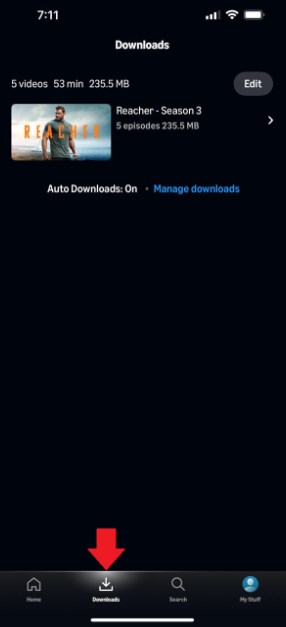
View Downloaded Content
- On Windows/Mac: It is often listed under the video details or next to the play button.
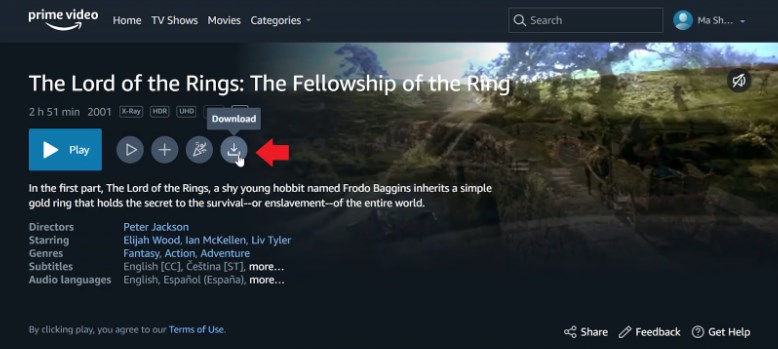
Click on Download
5. Select Quality: You may be prompted to choose video quality (Good, Better, Best). “Best” will use significantly more storage space but is recommended for tablet or laptop viewing.
Once the download completes, the file is available in the “Downloads” section of the app.
Rental vs. Purchase Rules
A common source of confusion is the difference in expiration rules between what you rent and what you buy.
- Rentals: Once you download Amazon-rented movies, you typically have 30 days to keep them. However, once you press play, a 48-hour timer starts. You must finish watching within that window, or the file locks.
- Purchases: While purchased files generally do not have a 30-day expiration, they are still subject to license checks. If you are offline for an extended period, the app may require you to reconnect to verify ownership.
How to Download Amazon Purchases Offline as Permanent MP4 Files
If you are a digital archivist, the official app’s limitations—specifically the need for recurring internet checks—can be a dealbreaker. If you need to download Amazon purchases offline for a media server (like Plex) or for a device that doesn’t support the Amazon app, you may need a tool like Keeprix Amazon Prime Video Downloader.
Why Use a Downloader?
- Breaking the Time Limit: Keeprix Video Downloader removes the expiration trigger. By saving the video as a local file, you eliminate the risk of the “48-hour viewing window” closing midway through your trip.
- Solving Compatibility: MP4/MKV for Maximum Compatibility means you can move the file to an external hard drive, iPad, or Android tablet without worrying about device download limits or proprietary player requirements.
Commercial Transparency: Keeprix Video Downloader is a paid software solution designed for users who require permanent access to their purchased libraries.
Security Note: Is it Safe?
Keeprix Video Downloader uses an embedded browser session that acts as a secure container. It passes the video stream through to the downloader without storing your personal Amazon credentials on third-party servers. It supports standard 2FA (Two-Factor Authentication) login flows, keeping your account secure.
Step-by-Step Procedure
1. Launch Keeprix Video Downloader: Open the software and log in to your Amazon account via the built-in secure browser.
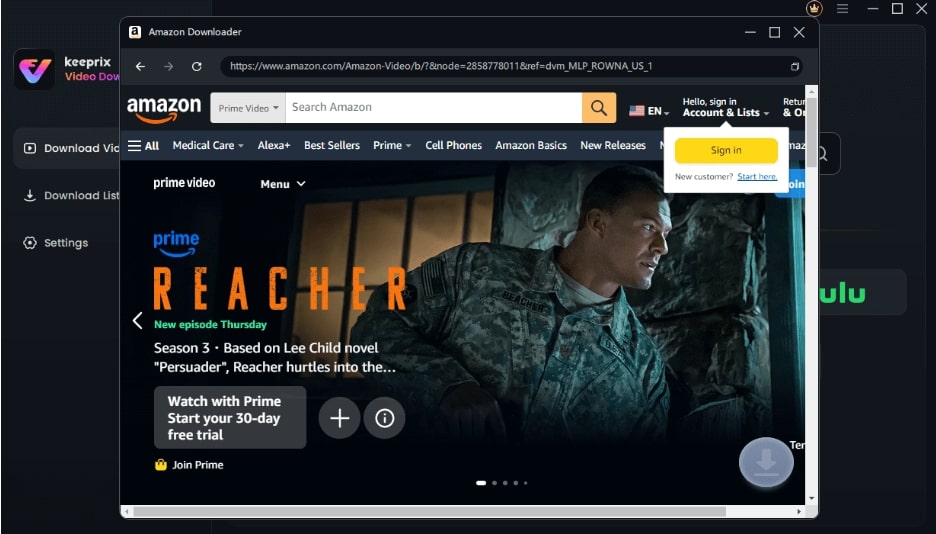
Sign Into Prime Account
2. Select Your Content: Navigate to “My Stuff” or “Purchases” to find your movie.
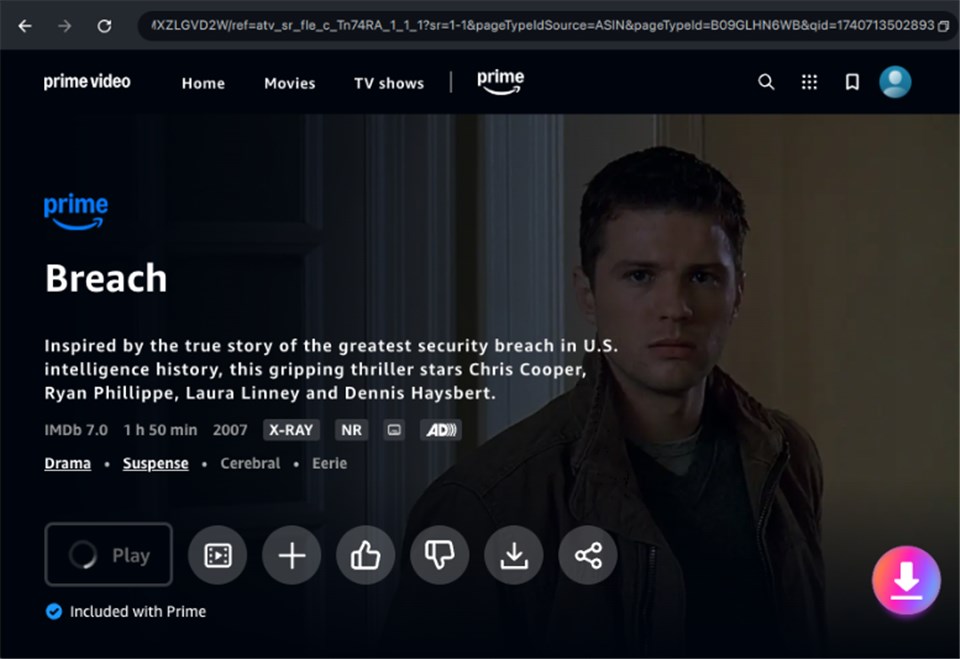
Download Amazon Videos
3. Download: Click the download button to save the file locally.
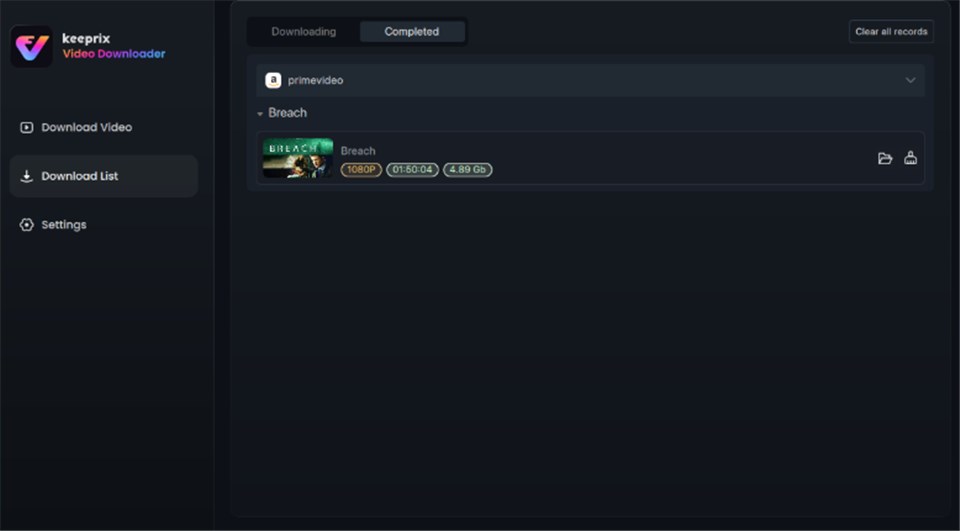
Prime Video Successfully Downloaded
Enable Hardware Acceleration in the settings if you have a dedicated GPU (NVIDIA/AMD) to speed up the conversion process significantly.
Why Do Purchased Amazon Movies Expire? Understanding DRM and Limits
Many users assume that “buying” a digital movie means owning it forever, but Amazon-purchased video offline files operate under strict digital rights management (DRM) rules.
The Expert Insight on DRM
Here is the technical reality: Even purchased Amazon movies use DRM encryption. This isn’t just about piracy; it controls how you consume the content.
- Copy Protection: Prevents you from copying the downloaded file from your phone to a laptop.
- Mirroring Blocks: Often prevents you from using an HDMI cable to plug your iPad into a hotel TV.
- Region Locking: If you travel internationally, your device might fail to renew the license keys, rendering your Amazon Video offline devices useless until you reconnect to the internet in your home region.
The Ticking Clock
When you download a title via the official app, two timers are activated:
- License Check: You typically have 30 days to keep the file on your device before you must connect to the internet to refresh the license.
- Viewing Window: Even for some purchases (depending on the studio), once you press play, a timer may start.
These download restrictions purchased titles are mandated by studio licensing agreements. This volatility is exactly why users looking for true ownership often turn to backup solutions.
Troubleshooting: Where to Download Purchased Amazon Videos and Storage Issues
A frequent query we see is: “Where to download purchased Amazon videos on my hard drive?” Users often want to locate the file to move it to a USB stick, but they encounter a technical roadblock.
The Hidden Location
On Windows and Android, Amazon stores video files in hidden, system-protected folders.
- Windows: Typically found deep within the AppData local packages folder (e.g., C:\Users\[User]\AppData\Local\Packages\AmazonVideo…).
- Android: Buried in /data/data/ system partitions.
Why you can’t just move them:
Even if you find these files, they do not look like MovieName.mp4. They are split into fragmented, encrypted data files with nonsense names. You cannot double-click them to play in VLC or Windows Media Player. This is intentional to prevent DRM from preventing copying or moving files.
Common Errors and Solutions
1. Device Limit Reached
Amazon generally limits you to downloading titles on four compatible devices.
Solution: Go to your Amazon account settings in a browser -> “Manage Your Content and Devices” -> “Devices”. Deregister old devices to free up slots for Amazon Video offline devices.
2. Missing Download Button
If a specific title lacks a download option, it usually means the studio has restricted offline playback Amazon rights for that specific content.
Solution: This is a licensing issue. The only workaround is using a tool like Keeprix Video Downloader to capture the stream directly.
3. Disappearing Downloads
If a movie vanishes, your device likely went offline for too long, causing the license key to expire.
Solution: You must reconnect to the internet to refresh the license. If you are abroad, you may need a VPN to simulate your home region.
FAQ: Common Questions About Amazon Video Downloads
Q1. How do I download purchased movies on Amazon Prime Video?
You must use the Prime Video app on iOS, Android, Windows 10/11 (Microsoft Store version), or macOS. Navigate to “My Stuff,” select your purchased title, and tap the download arrow. Downloads are not supported in web browsers.
Q2. Why can’t I download my purchased movie on my laptop?
If you are using a browser (Chrome, Edge, Safari), the download option is hidden because browsers cannot secure the video file. You must install the specific Prime Video app to access Amazon Prime-purchased movies download features.
Q3. Do purchased Amazon movies expire after downloading?
Yes and no. While you “own” the movie on the cloud, the offline file on your device usually expires if you do not connect to the internet every 30 days to refresh the license. Rental downloads expire 48 hours after you start watching them.
Q4. Why do some purchased titles not have a download button?
Occasionally, specific studios restrict offline viewing rights for their content. If the button is missing in the official app, that specific title cannot be downloaded officially.
Q5. Can I download my purchases on multiple devices?
Yes, but with limits. Amazon typically allows you to download content to four compatible devices. If you exceed this, you must delete content from an old device first.
Q6. Where are downloaded Amazon movies stored?
They are stored in hidden, encrypted folders within the app’s system directory. They are not accessible as standard video files and cannot be played outside the Prime Video app.
Conclusion: Building a Permanent Digital Library
When it comes to digital movie downloads, you have two distinct options. For most people, the official Prime Video app is the correct starting point. It is free, integrated, and works perfectly for a quick flight or weekend trip—provided you install the correct app version and understand the rental vs. purchase rules.
However, if you are a collector who values true ownership, or if you need to watch your content on devices Amazon doesn’t support, the official method may feel restrictive. In those cases, a tool like Keeprix Video Downloader offers a way to download Amazon movies to device storage permanently, immune to spotty Wi-Fi or regional blocks.
Whether you stick to the app or upgrade to a permanent downloader, the most important step is ensuring your content is ready before you go offline. Regain control of your media today and secure your library so you never lose access to the movies you paid for.