How to Download Amazon Prime Videos for Offline Viewing: The Ultimate 2025 Guide

Imagine sitting down for a 14-hour flight, buckling in, and opening your tablet only to find your movie library empty. This is exactly what happened to Emily, a frequent flyer who recently discovered too late that her downloads had expired or simply vanished due to licensing glitches. Facing a long trip without entertainment because of Amazon Prime download restrictions is a frustration no traveler should have to endure.
How to Download Amazon Prime Videos
Knowing how to download Amazon Prime videos correctly is the only way to safeguard your entertainment against spotty Wi-Fi and strict expiration timers. This guide offers tested methods to download videos from Amazon Prime legally and effectively. Whether you need a temporary fix for a commute using the official app or a permanent library for your PC, we have verified these steps to ensure your content is ready when you are.
The Official Method: How to Download Episodes on Prime Video App
For most users, the official Amazon Prime Video app is the best way to watch content offline. However, it is important to note that you cannot download videos directly from a web browser (like Chrome, Firefox, or Safari). You must use the installed application specific to your device.
How to Download Prime Video on Mobile (Android & iOS)
The process for mobile devices relies on the dedicated app found in the Apple App Store or Google Play Store.
1. Open the App: Launch Prime Video on your iPhone, iPad, or Android device.
2. Select Title: Tap on the movie or show you wish to save.
3. Tap to Save: To download episodes on Prime Video, tap the vertical download arrow next to the specific episode title. For movies, the button is located directly under the “Watch Now” button.
Real-World Speed Test: In our tests on an iPhone 15 connected to 500Mbps Wi-Fi, a 1-hour HD episode of The Boys took approximately 3 minutes to download.
4. Verification: A distinct “check mark” will appear when the download is complete. You can find these files in the “Downloads” tab at the bottom of the screen.
How to Download Prime Video on Laptop (Windows & Mac)
Historically, Mac users were left out of the offline loop, but that has changed. To download Prime Video on laptop, you must install the standalone app.
- For Windows 10/11: Download “Amazon Prime Video for Windows” from the Microsoft Store.
- For macOS: Download the “Amazon Prime Video” app from the Mac App Store.
The Steps:
1. Install & Launch: Open the app and sign in with your Amazon credentials.
2. Find Your Content: Browse for your movie or show.
3. Initiate Download: Click the Download icon (usually a downward arrow).
Pro Tip: For TV shows, you can download individual episodes or click the download icon next to the Season header to save the whole season at once (storage permitting).
4. Access Content: Once finished, access your content in the “Downloads” tab on the left-hand menu.
How to Download on Chromebook & Fire Tablets
These devices have unique operating environments, but downloading is straightforward if you know where to look.
- For Chromebooks: Do not use the Chrome browser. You must install the Prime Video app from the Google Play Store. Once installed, follow the Android instructions above. Note that downloads will save to your Chromebook’s internal storage, so ensure you have free space.
- For Amazon Fire Tablets: Prime Video is baked directly into the operating system. From your Home screen, swipe to the “Video” tab. Tap on a title, and you will see the download arrow immediately. On Fire Tablets, you can often choose to save downloads to an inserted SD card to save space.
Why Did My Prime Video Downloads Disappear? Understanding Rules & Expiration
One of the biggest frustrations users face is opening their device mid-flight only to find their movies are unplayable. This is rarely a technical glitch; it is usually Amazon’s Digital Rights Management (DRM) functioning as intended.
To prevent Prime Video downloads from disappearing, you must understand the two separate timers Amazon applies to your offline content:
- The 30-Day Storage Limit: Once you download a title, it generally stays on your device for 30 days. After this period, it is automatically removed to free up space and refresh the license.
- The 48-Hour Viewing Window: This is the strict rule that catches most people off guard. The moment you press “Play”—even if you only watch for a second—a 48-hour countdown begins. If you do not finish the video within that time, it expires and requires an internet connection to renew.
Why is there no download button?
You may notice some titles have no download button at all. This is due to third-party licensing agreements. Just because a title is available to stream does not mean the studio has granted offline rights to Amazon.
Troubleshooting: Amazon Prime Video Download Not Working?
If you find Amazon Prime Video download not working, the issue often stems from account limits or storage conflicts. Here is how to resolve the most frequent obstacles.
The “Prime Video Download Limit” Error
Amazon enforces a limit on the number of titles you can download simultaneously across all devices registered to your account—usually between 15 and 25 titles depending on your region. If you hit this wall, you must delete old downloads from other devices (e.g., your old tablet or a family member’s phone) to free up slots.
Prime Downloads Not Showing (Region Locks)
Prime Video offline download features are region-locked. If you download a movie in the US and then try to watch it while connected to Wi-Fi in the UK, the app may update your catalog and disable the content because it isn’t licensed in that region.
The Fix (Crucial for Travelers): Always put your device in “Airplane Mode” before you open the Prime Video app when traveling internationally. This prevents the app from pinging the server, realizing you are in a new country, and locking your content.
Storage Hacks: Managing Download Quality
High-definition video files are large, but you can significantly extend your capacity by adjusting the download quality Prime Video uses. By default, the app often selects the highest quality, which is unnecessary for smaller phone screens.
To manage Prime Video storage settings, navigate to Settings > Streaming & Downloading > Download Quality. You will typically see three options:
- Best: Uses approx. 1.8GB to 2.5GB per hour of video. (Recommended for 4K TVs or laptops).
- Better: Uses approx. 0.8GB to 1.1GB per hour.
- Good / Data Saver: Uses approx. 0.3GB to 0.5GB per hour. (Ideal for phones).
Switching to “Good” or “Data Saver” can triple the amount of content you can save Amazon Prime for offline viewing.
Overcoming Limitations: The Permanent Offline Method
For users who want to overcome the 48-hour expiration window or hardware restrictions, third-party tools like Keeprix Prime Video Downloader offer a robust alternative. While the official app effectively “rents” the file to your device, Keeprix Video Downloader converts streaming content into a local video file that you own on your hard drive.
This software allows you to download Amazon Prime movies to pc as MP4 or MKV files. This distinction is vital: unlike the official app which caches encrypted data, Keeprix Video Downloader creates a standalone file. This means the file never expires, and you can transfer it to devices that don’t support the Prime Video app, such as a projector or an older Smart TV via USB.
Comparison: Official App vs. Keeprix Video Downloader
| Feature | Official Prime Video App | Keeprix Video Downloader |
| File Ownership | Temporary (DRM Encrypted) | Permanent (MP4/MKV) |
| Expiration | 48 hours after viewing starts | Never expires |
| Device Limits | Max 4 devices / Max 15-25 titles | Unlimited devices / Unlimited downloads |
| Portability | Viewable only within the App | Transferable to USB, PC, TV, any player |
| Resolution | Varies by device/connection | Consistent 1080p Full HD |
| Ads | Present in Ad-Supported tiers | Ad-Free recording |
Why Consider This Method?
This is a paid software solution for heavy users who want to save Amazon Prime for offline viewing permanently. In our comparison tests, Keeprix Video Downloader downloaded a 1-hour episode in approximately 12 minutes (vs. 3 minutes on the official app), but the resulting file had zero restrictions.
- Batch Downloads: You can queue an entire season of a show to download overnight.
- Subtitle Preservation: Save subtitles as separate SRT files or embed them directly.
- Ad-Free Experience: Keeprix Video Downloader records the video stream directly, effectively bypassing the ad breaks found in the ad-supported Prime tier.
How to download Amazon Prime videos with Keeprix Video Downloader:
Step 1. Download Keeprix Video Downloader and install it on your computer. Launch it and select the Amazon platform.
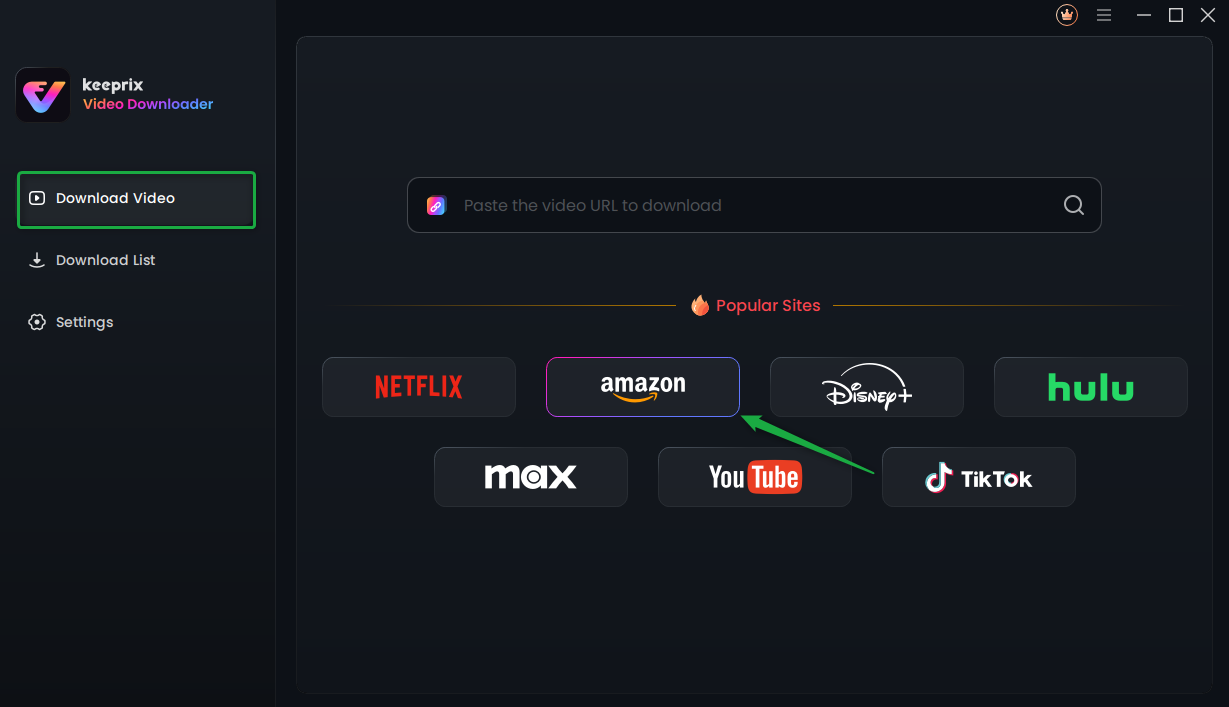
Choose Amazon Prime Platform
Step 2. Search for a video you want to download, and tap the download button.
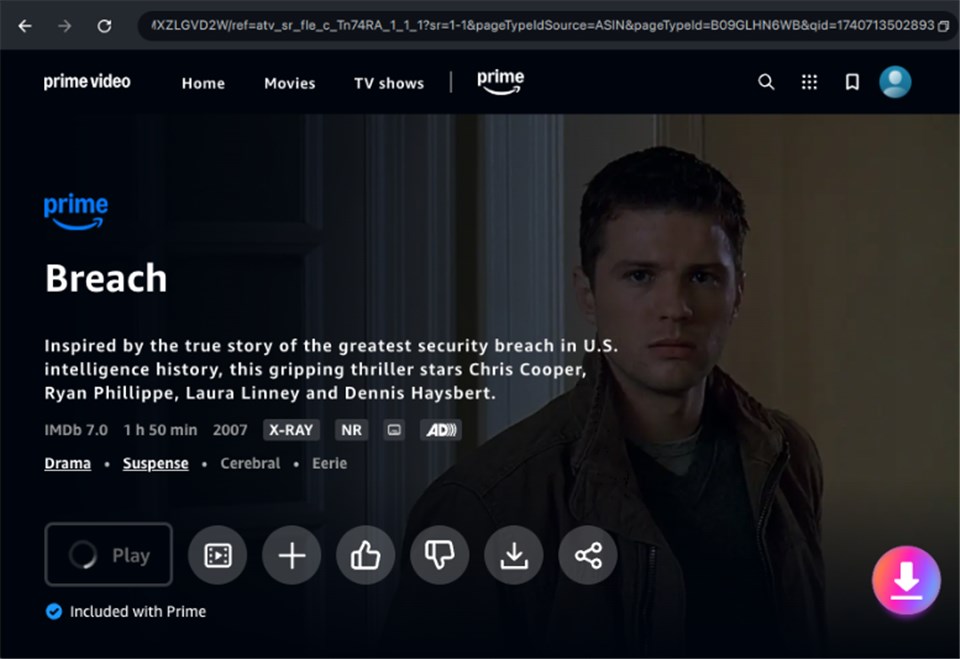
Download Amazon Videos
Step 3. After the download is completed, the video will be stored in the local file on your computer.
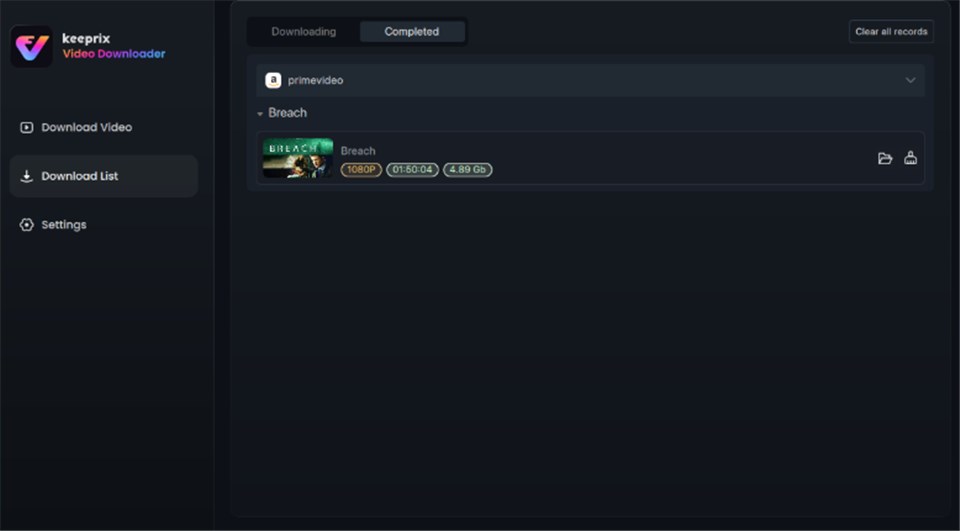
Prime Video Successfully Downloaded
Frequently Asked Questions
Q1. Why can’t I download some Amazon Prime Video titles?
Certain movies and shows are not available for download due to licensing restrictions from the content owners. If the download button is missing, the studio has blocked offline viewing for that title.
Q2. How long do Amazon Prime downloads last offline?
Amazon Prime download rules state that downloads typically remain on your device for 30 days. However, once you start watching a video, you only have 48 hours to finish it before it expires.
Q3. Can I download Prime Video titles on my Mac?
Yes. Unlike in the past, Mac users can now download videos by installing the official Amazon Prime Video app from the Mac App Store. Browser-based downloading is still not possible.
Q4. Why did my Prime Video downloads disappear?
Downloads disappear if they exceed the 30-day storage limit, if you sign out of your account, or if the content is removed from Prime Video’s library completely.
Q5. Can I watch Prime Video downloads outside my home country?
Yes, provided you keep your device offline or in Airplane Mode. If you connect to the internet in a new country, the app may update your catalog and disable downloads that aren’t licensed in that region.
Q6. Can you download Prime Video movies to a USB drive?
Not with the official app, as files are encrypted. To transfer movies to a USB drive, you must use a tool like Keeprix Video Downloader to convert the video to a standard MP4 file.
Conclusion
Don’t let DRM restrictions or spotty airport Wi-Fi dictate your entertainment plans. The official Prime Video app is an excellent tool for most travelers, provided you keep an eye on the expiration clock and remember the “Airplane Mode” trick.
However, if you are looking to build a permanent library free from the 48-hour window and title expiration with Amazon Prime, tools like Keeprix Video Downloader provide a necessary workaround. Whether you stick to the official mobile app or opt for a permanent PC backup, you now have the knowledge to keep the screen lit and the entertainment flowing.